

Quickstart
Create a Cowdi API client, obtain a machine token, and make your first request.
This guide connects a backend service to Cowdi with OAuth 2.0 client credentials. You will create the client in Cowdi Connect, store its one-time secret, request a short-lived access token, and call the production API.
Before you start
You need access to your organization in Cowdi Connect. To create clients, your
role needs both org:connect:read and org:connect:write.
1. Create an API client
Sign in to Cowdi Connect, open API clients from the masthead, then select Add client.
Give the client a name that identifies the service and its owner. Choose Client credentials for a server-to-server integration that acts as your organization rather than as an individual user.
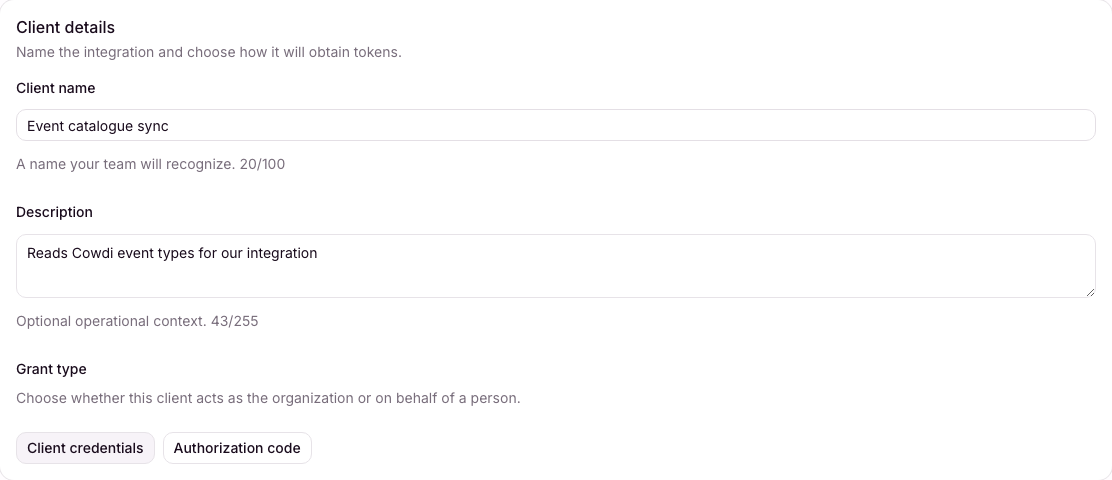
Use a recognizable operational name; the grant type cannot be changed later.
2. Grant only the scopes it needs
Scopes are Cowdi permission slugs. They determine which API operations the access token can perform, and Cowdi Connect only offers permissions your current user is allowed to delegate.
For this quickstart, grant org:connect:read: it is what the call in step 5
needs. That scope covers your organization's Connect configuration — webhook
endpoints, and the event and delivery logs behind them — so if you are only
setting a webhook up once, do that in Connect and skip the client. For a real
integration, grant the scopes its own API calls require.
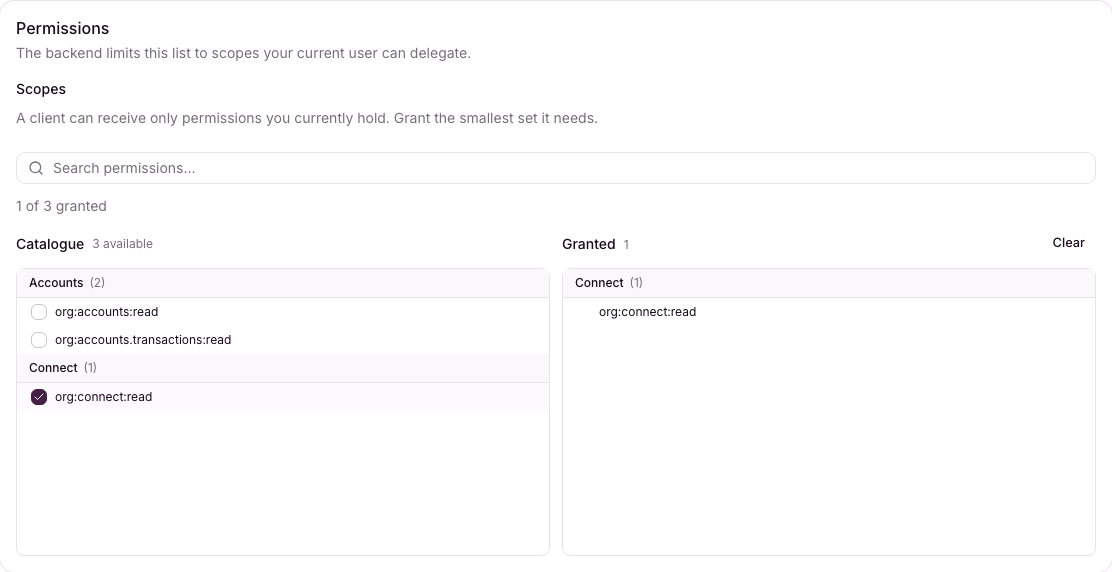
Start narrow. You can add or remove client scopes later.
3. Store the credentials
Select Create client. Cowdi shows the client ID and client secret together once. Store both in your secret manager before closing the dialog.
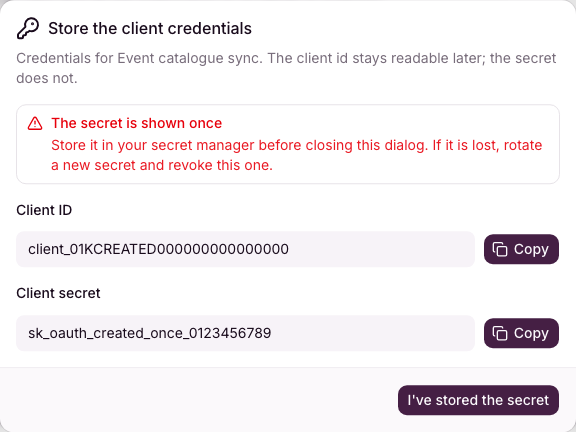
The values shown here are test credentials. A real secret cannot be read again.
If a secret is lost, rotate it in Cowdi Connect and revoke the old credential. Do not put either value in source control, client-side code, logs, or screenshots.
4. Obtain an access token
Keep the credentials in environment variables and exchange them at Cowdi's OAuth token endpoint. Request the same scope you selected above:
curl --fail-with-body -X POST https://id.cowdi.co/oauth2/token \
  -H "Content-Type: application/x-www-form-urlencoded" \
  --data-urlencode "grant_type=client_credentials" \
  --data-urlencode "client_id=$COWDI_CLIENT_ID" \
  --data-urlencode "client_secret=$COWDI_CLIENT_SECRET" \
--data-urlencode "scope=org:connect:read"{
"access_token": "eyJhbGciOiJSUzI1NiIs…",
"expires_in": 3600,
"token_type": "bearer"
}Cache the token until shortly before expires_in, then request a new one. Never
send the client secret to api.cowdi.co; only the access token belongs in API
requests.
5. Make your first API call
Send the access token as a bearer token. This request lists the event types a webhook can subscribe to and requires the scope granted in step 2:
curl --fail-with-body https://api.cowdi.co/v1/webhooks/events/types \
-H "Authorization: Bearer $COWDI_ACCESS_TOKEN"[
{
"event": "approval.outcome",
"category": "APPROVAL",
"description": "An approval request was approved or rejected"
}
]Your service is now authenticated. Continue with the API reference and grant the client only the additional scopes required by the operations you adopt.
Troubleshooting
| Response | What to check |
|---|---|
Token endpoint returns invalid_client | Confirm the client ID and one-time secret came from the same client and environment. |
API returns 401 | Obtain a fresh token and confirm the full value is sent as Authorization: Bearer …. |
API returns 403 | Add the endpoint's required scope to the client, then request a new token containing that scope. |